How to Fix Brigador Killers Black Screen Error: 2026 Complete Guide
There are few things more annoying than booting up a game you have been waiting for, hearing the familiar sounds of Windows doing its thing, and then getting absolutely nothing but a black screen. Brigador Killers can be particularly frustrating when this happens because the game is exactly the sort of tactical experience that makes you want to jump straight into a mission, not spend half an hour fighting your display settings.
Since the game’s 2026 Early Access launch on Steam and GOG, players have reported a mixture of launch crashes, freezes, transition problems, and the dreaded black screen. I have dealt with enough PC game launch disasters over the years to know one important thing: don’t start randomly deleting files or reinstalling Windows just because a game refuses to show an image.
In most cases, the problem is much more specific.
This guide walks through the fixes I would try myself, starting with the quickest solutions and moving toward deeper troubleshooting. The goal is simple: get Brigador Killers past the black screen and back into the action without turning your PC into a science experiment.
Brigador Killers Black Screen: What Is Actually Going Wrong?
A black screen does not necessarily mean the game has completely crashed. Sometimes the game is running in the background while the rendering window has failed to initialize correctly. Other times, the engine can get stuck while loading assets, shaders, audio, video, or display settings.

The most common trouble spots include:
| Possible Cause | What You May Notice | Recommended Fix |
|---|---|---|
| Display Scaling | Black screen immediately after launch | Force Windowed Mode |
| Corrupted Files | Crash or freeze during loading | Verify Game Files |
| GPU Driver Conflict | Black screen after an update | Update/Reinstall Drivers |
| Shader Cache | Freeze after patches or driver changes | Clear Shader Cache |
| Overlay Conflict | Game launches but never displays | Disable Overlays |
| DPI/Fullscreen Issue | Black window or incorrect resolution | Change Compatibility Settings |
One of the most useful files to check is log.txt, which should be located in the game’s installation directory. The file is rewritten whenever the game starts, so the final entries can provide a clue about where the startup process stopped.
If the last lines mention resolution, display initialization, audio, shaders, or another specific subsystem, you already have a much better idea of what you are dealing with.
1. Force Brigador Killers Into Windowed Mode
This is the first thing I would try.
Fullscreen problems are ridiculously common on PC, especially when a game doesn’t agree with the monitor’s current resolution, refresh rate, DPI scaling, or multi-monitor setup. A game can technically launch while failing to establish a usable fullscreen rendering context.
For Steam, open your Library and right-click Brigador Killers. Select Properties, stay in the General section, and find the Launch Options box.
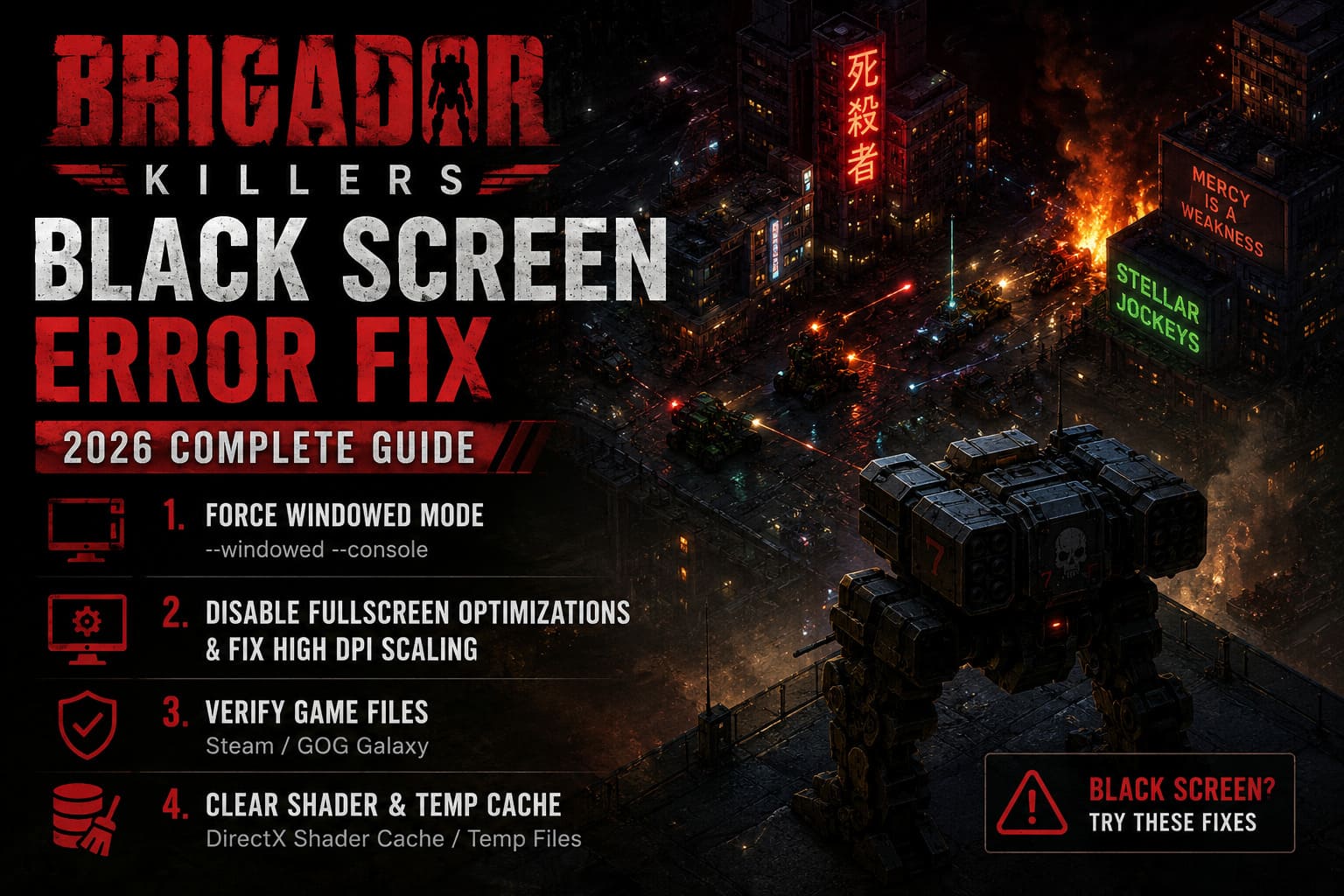
Enter:
--windowed --console
Then close the properties window and launch the game again.
The --windowed command tells the game to avoid fullscreen initialization, while --console can provide additional information if something goes wrong.
If the game finally appears, don’t immediately switch everything back to your old settings. Get to the main menu first. Open the game’s settings and select a resolution that matches your monitor.
Once you know the game can render properly, you can experiment with fullscreen again.
Why this works: the black screen can be caused by the game trying to create a fullscreen display mode that Windows or your GPU doesn’t accept correctly. Windowed mode removes that variable from the equation.
2. Disable Fullscreen Optimizations and Fix High DPI Scaling
If windowed mode helps but fullscreen continues to break, Windows itself may be getting involved.
Modern versions of Windows have several display-management features designed to make older or unusual applications behave better. Unfortunately, those features don’t always play nicely with games that want more direct control over their rendering window.
Navigate to your local Brigador Killers installation directory.
On Steam, you can get there through:
Library → Brigador Killers → Manage → Browse Local Files
Find the main executable, which should be named:
brigador-killers.exe
Right-click it and select Properties.
Open the Compatibility tab and enable:
Disable fullscreen optimizations
Then select Change High DPI Settings.
Under Program DPI, enable the option that allows Windows to fix scaling problems for the application.
Next, under High DPI scaling override, enable:
Override high DPI scaling behavior
Set Scaling performed by: to Application.
Click OK, then Apply.
This forces the game to handle its own scaling rather than allowing Windows to aggressively reinterpret the application’s display requirements.
If you use a high-resolution monitor, especially one running unusual Windows scaling such as 125%, 150%, or higher, this fix is absolutely worth trying.
3. Verify Your Brigador Killers Installation
Early Access games are constantly changing. Hotfixes arrive, files are replaced, builds get updated, and sometimes something goes sideways during an update.
You don’t need to guess whether your installation is damaged. Let the launcher check it.
Steam
Go to:
Library → Brigador Killers → Properties → Installed Files
Select:
Verify integrity of game files
Let Steam complete the process. If it finds missing or corrupted files, it will replace them automatically.
GOG Galaxy
Open Brigador Killers in your GOG library, select the game’s configuration options, then go to:
Manage Installation → Verify / Repair
This can take a little while depending on the size of the installation and the speed of your drive.
It’s not the most exciting fix in the world, but I’ve lost count of how many “mysterious” PC game crashes have turned out to be one broken file.
4. Clear Old Shader and Temporary Cache Data
GPU shader caches can become a real headache after major game updates or graphics driver changes.
The basic idea is simple: your PC may still have cached rendering data generated for an older version of the game or an older driver configuration. If the new build doesn’t agree with it, you can end up with freezing, graphical corruption, or a completely black display.
Press:
Windows Key + R
Enter:
%localappdata%
and press Enter.
Look for temporary folders or directories associated with Brigador Killers or Stellar Jockeys.
If you find clearly identifiable temporary cache files belonging to the game, you can remove them.
You may also encounter a crash dump such as:
brigador_killers.dmp
Don’t delete this if you intend to send diagnostic information to the developers. It’s potentially useful for troubleshooting.
Clear the DirectX Shader Cache
You can also use Windows’ built-in cleanup tools.
Search Windows for:
Disk Cleanup
Choose your system drive and look for:
DirectX Shader Cache
Select it and run the cleanup.
NVIDIA users can also encounter shader cache files under their local NVIDIA directories, including DXCache and GLCache. Clearing cached files can force the driver to rebuild them the next time the game launches.
The first launch afterward may take slightly longer. That’s normal.
5. Turn Off Every Overlay You Can Find
This is one of those fixes that feels stupid until it works.
Overlays hook into the rendering process so they can display notifications, FPS counters, chat windows, recording controls, and other information on top of the game.

Usually that’s harmless.
Sometimes it isn’t.
If Brigador Killers is producing a black screen, temporarily disable:
- Steam Overlay
- Discord Overlay
- NVIDIA in-game overlay
- AMD Software overlay
- MSI Afterburner
- RivaTuner Statistics Server
- EVGA Precision X1
- Other FPS counters or monitoring utilities
I recommend closing monitoring software completely rather than simply disabling one feature. RivaTuner and MSI Afterburner are especially worth testing without, because their hooks can interfere with certain games even when the overlay itself isn’t visibly active.
Launch the game cleanly.
If it suddenly works, turn your utilities back on one at a time. That makes it much easier to identify the offender.
6. Make Sure the Game Uses Your Dedicated GPU
Laptop users should pay particular attention here.
Windows can occasionally assign a game to the integrated graphics processor instead of the dedicated NVIDIA or AMD GPU. Depending on the hardware and configuration, that can create anything from terrible performance to launch failures.
Open Windows Search and type:
Graphics Settings
Find Brigador Killers or manually browse to:
brigador-killers.exe
Open its graphics options and select:
High Performance
Save the setting and restart the game.
If you have a desktop PC, also make sure your monitor cable is connected to the dedicated graphics card rather than the motherboard’s video output.
It sounds obvious, but PC troubleshooting has taught me that the obvious stuff deserves checking first.
7. Update Your GPU Driver — But Don’t Blindly Chase Every New Driver
A graphics driver update is worth considering if the black screen appeared after a game update or you’re running a significantly outdated driver.
Install the latest appropriate driver for your NVIDIA, AMD, or Intel GPU.
However, I wouldn’t immediately assume that “newest driver = guaranteed fix.” Sometimes a brand-new driver introduces a problem rather than solving one.
If Brigador Killers worked perfectly on a previous driver and stopped working immediately after a driver update, rolling back to a known-good version can be a legitimate troubleshooting step.
The important part is identifying what changed immediately before the problem started.
8. Check Visual C++ and Windows Media Components
If the black screen appears after the game’s opening logo or during an introductory video, the problem may not be the graphics renderer itself.
Missing or damaged runtime components can prevent parts of a game from initializing correctly.
Install the current Microsoft Visual C++ Redistributable packages appropriate for your system, including both x86 and x64 versions when available.
If you use third-party codec packs or heavily customized media playback software, temporarily return those settings to their defaults.
This is especially worth trying if the game consistently reaches a logo or intro sequence and then turns into a black screen.
A game that goes black at exactly the same video transition every time is giving you a useful clue: the problem may be media playback rather than rendering.
9. Multi-Monitor Users Should Test With One Screen
Running two or three monitors is fantastic until a game decides that monitor number two is its mortal enemy.
If you have multiple displays connected, temporarily disconnect the secondary monitor or disable it through Windows display settings.
Then launch Brigador Killers on your primary display.
Also check that your main monitor is using the expected resolution and refresh rate.
For troubleshooting purposes, boring is good. Use one monitor, standard scaling, a normal resolution, and windowed mode. Once the game launches reliably, add your preferred setup back piece by piece.
Brigador Killers Black Screen Fix: The Order I’d Actually Try
If I were sitting at my own PC with Brigador Killers stuck on a black screen, I wouldn’t perform every fix at once. That makes troubleshooting messy because you won’t know what solved the problem.
I’d go in this order:
- Launch with
--windowed --console. - Verify the game files.
- Disable Steam, Discord, GPU, and monitoring overlays.
- Disable fullscreen optimizations and adjust High DPI settings.
- Make sure the dedicated GPU is selected.
- Clear the DirectX/GPU shader cache.
- Update or, if necessary, roll back the graphics driver.
- Repair Visual C++ components and check media-related dependencies.
- Test with one monitor and standard Windows scaling.
That sequence starts with fixes that are fast and reversible before moving into deeper system-level troubleshooting.
Is Brigador Killers Coming to PS5, Xbox, and Nintendo Switch? Release Date and Console Port Analysis
When You Should Stop Troubleshooting and Contact Stellar Jockeys
If you’ve gone through the common fixes and Brigador Killers still refuses to display anything, don’t keep deleting random folders.
At that point, gather diagnostic information.
The most useful files mentioned in this troubleshooting process are:
log.txtbrigador_killers.dmp, if generated- Your GPU model
- Your Windows version
- Your current GPU driver version
- Whether the problem occurs in fullscreen and windowed modes
- Whether disabling overlays changes anything
The final entries in log.txt are particularly valuable because they can indicate what the engine was doing immediately before it stopped responding.
A proper bug report containing those details is far more useful to the developers than simply saying, “Game doesn’t work.”
Brigador Killers Money Farming Guide: How to Survive Infantry Combat and Get Rich Fast
Final Verdict
A Brigador Killers black screen is frustrating, but it isn’t automatically a sign that your installation is completely broken. In my experience, display initialization, Windows scaling, corrupted files, shader caches, and overlay software are the first places I’d look.
The biggest quick win is --windowed --console. If that gets you into the menu, you’ve already learned something important: the game can render, but its fullscreen or display configuration is probably the problem.
After that, file verification and overlay removal are cheap fixes that can eliminate two other major variables. DPI settings and shader caches are worth tackling next, particularly if you’re using a high-resolution monitor or recently updated your GPU driver.
And honestly, that’s the nice thing about this sort of PC troubleshooting. You don’t need to throw every possible fix at the wall. Change one thing, launch the game, observe what happens, and work from there.
Brigador Killers is supposed to be about tactical warfare and blowing things up, not staring at a completely black monitor. With a little patience and the right troubleshooting order, you should be able to get past the launch problem and back into Mar Nosso.