WARDOGS Multiplayer Guide: How to Party Up and Play with Friends (2026)
WARDOGS is the kind of shooter that makes you appreciate having friends online. You can absolutely jump into a match alone, grab a rifle and start fighting, but sooner or later you will probably realize that the battlefield is simply too big and too chaotic to handle everything by yourself. With massive 100-player battles, three opposing factions, vehicles, fortifications, logistics and constantly changing objectives, teamwork isn’t just a nice bonus here. It is a huge part of what makes the game work.
That is also why figuring out the WARDOGS multiplayer and party system is worth doing before you and your friends start throwing yourselves into battle. The game doesn’t always behave like a traditional arcade shooter where you press “Invite” and immediately appear in a neat little lobby together. Depending on the server, matchmaking conditions and how busy the game is, getting everyone into the same match can require a little coordination.
I’ve found that the easiest approach is to stop thinking of WARDOGS as a conventional lobby-based shooter and start treating it like an actual multiplayer operation. Pick the same region, get onto the same server, make sure everyone joins the same faction, and then sort out your squads once you’re in. It sounds slightly more complicated than a normal party system, but once you understand the flow, it becomes much less frustrating.
How to Play WARDOGS With Friends
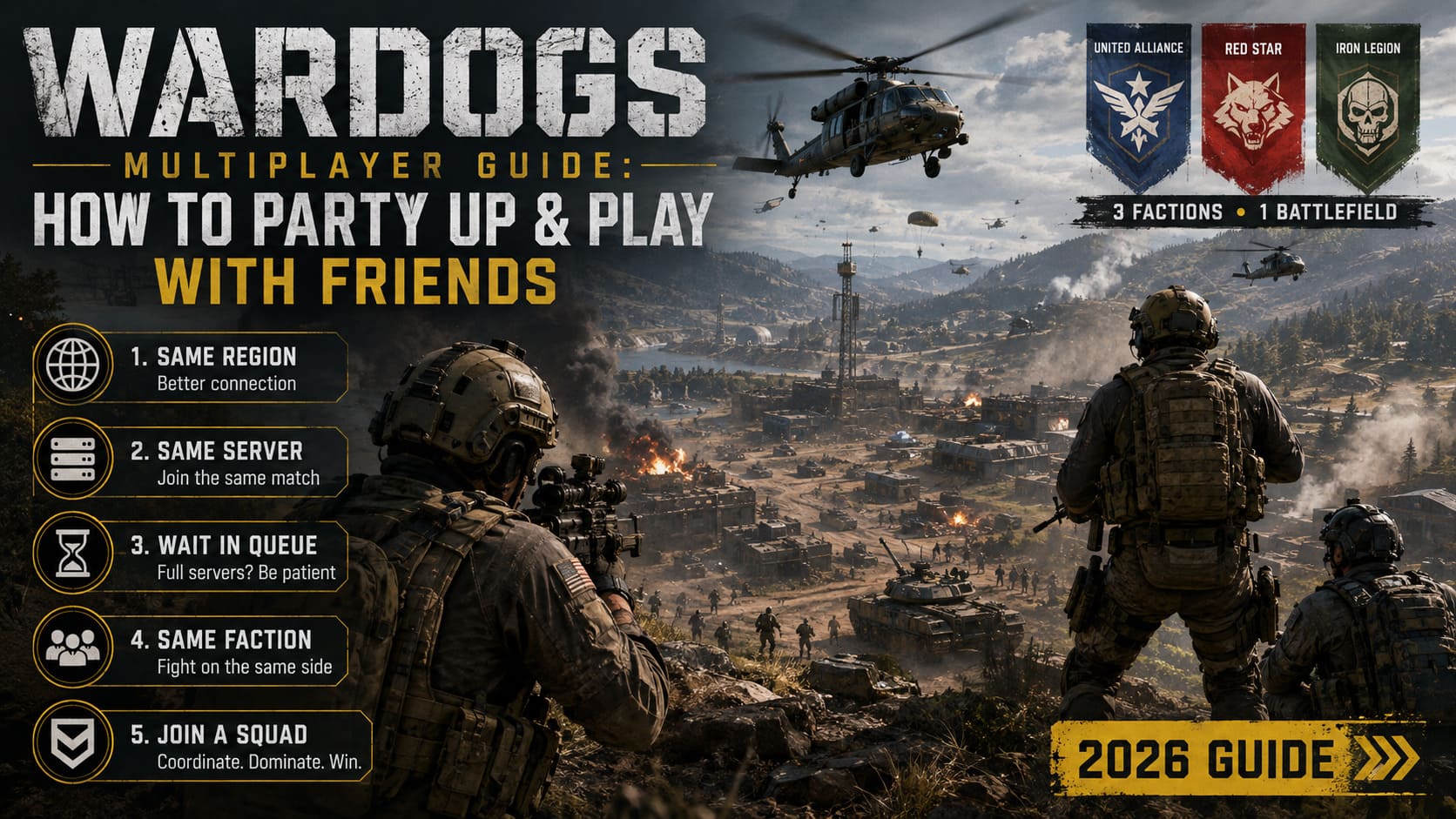
If you’re wondering how to party up in WARDOGS, the process is basically about getting your group into the same battlefield first and then organizing your squad. There are a few important details that can make the difference between spending five minutes preparing and spending twenty minutes wondering why everyone ended up in different matches.
1. Pick the Same Server Region
Before anyone queues, agree on a region. If one player selects US East while another is attempting to connect through a different region, you’re making the matchmaking process harder for no real benefit.
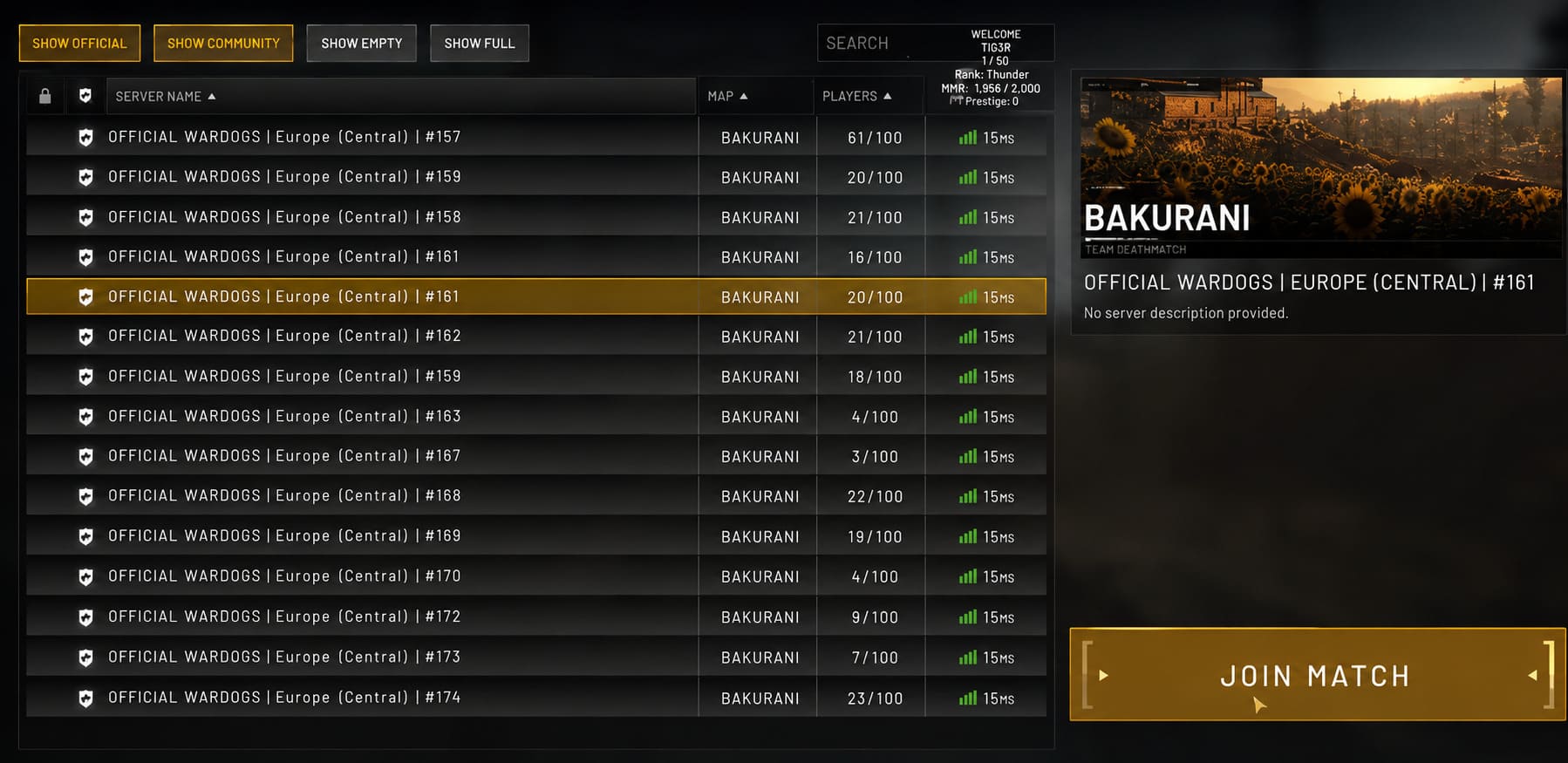
The player with the best overall connection should ideally help decide where the group goes. You don’t necessarily want to pick a region simply because it is geographically closest to one person. The goal is to find a server area where everyone gets acceptable latency.
Once you’ve decided, have every member of the group use the same deployment region. This is one of those boring preparation steps that takes about thirty seconds and can save a lot of unnecessary messing around later.
2. Get Everyone Into the Same Match
After the region is sorted, the next job is getting into the same server instance. If one of your friends has already loaded into a live match, check their Steam profile and use the “Join Game” option when it is available.
If you’re starting from scratch, it’s usually better to coordinate the timing. Have one person act as the group leader, select the intended server or match, and tell everyone else exactly where they’re going.
This is particularly useful during a busy Early Access period. When servers are packed, randomly clicking matchmaking at roughly the same time doesn’t necessarily mean you’ll magically land together. A little communication goes a surprisingly long way.
3. Don’t Immediately Quit If the Server Is Full
This is probably one of the easiest mistakes to make. You try to join your friend’s match, see that the server is full, and assume the attempt has failed.
Give the queue a chance.
Large multiplayer games can have plenty of players connecting and disconnecting at the same time, especially around launch periods and during peak hours. If you’re already in the joining process, waiting can be better than repeatedly backing out and trying again.
Of course, if you’ve been staring at the exact same loading screen for an unreasonable amount of time, that’s another story. But don’t abandon a queue immediately just because the server is currently full.
4. Pick the Same Faction
This is the big one.
WARDOGS has three factions fighting across the same battlefield. That means simply getting into the same match isn’t enough. You and your friends need to make sure you’re actually fighting on the same side.
Before everyone confirms their selection, call out the faction you’re joining. Seriously. Don’t assume everyone saw the same thing you did. Someone clicking the wrong side can turn your carefully organized night into an accidental friendly-rival situation.
And while fighting your buddy across the battlefield might sound funny for about thirty seconds, it isn’t particularly useful when your entire group is supposed to be coordinating an assault.
5. Join or Create a Squad
Once you’re on the same faction, open the in-game menu and head to the Squad section. This is where the real teamwork starts.
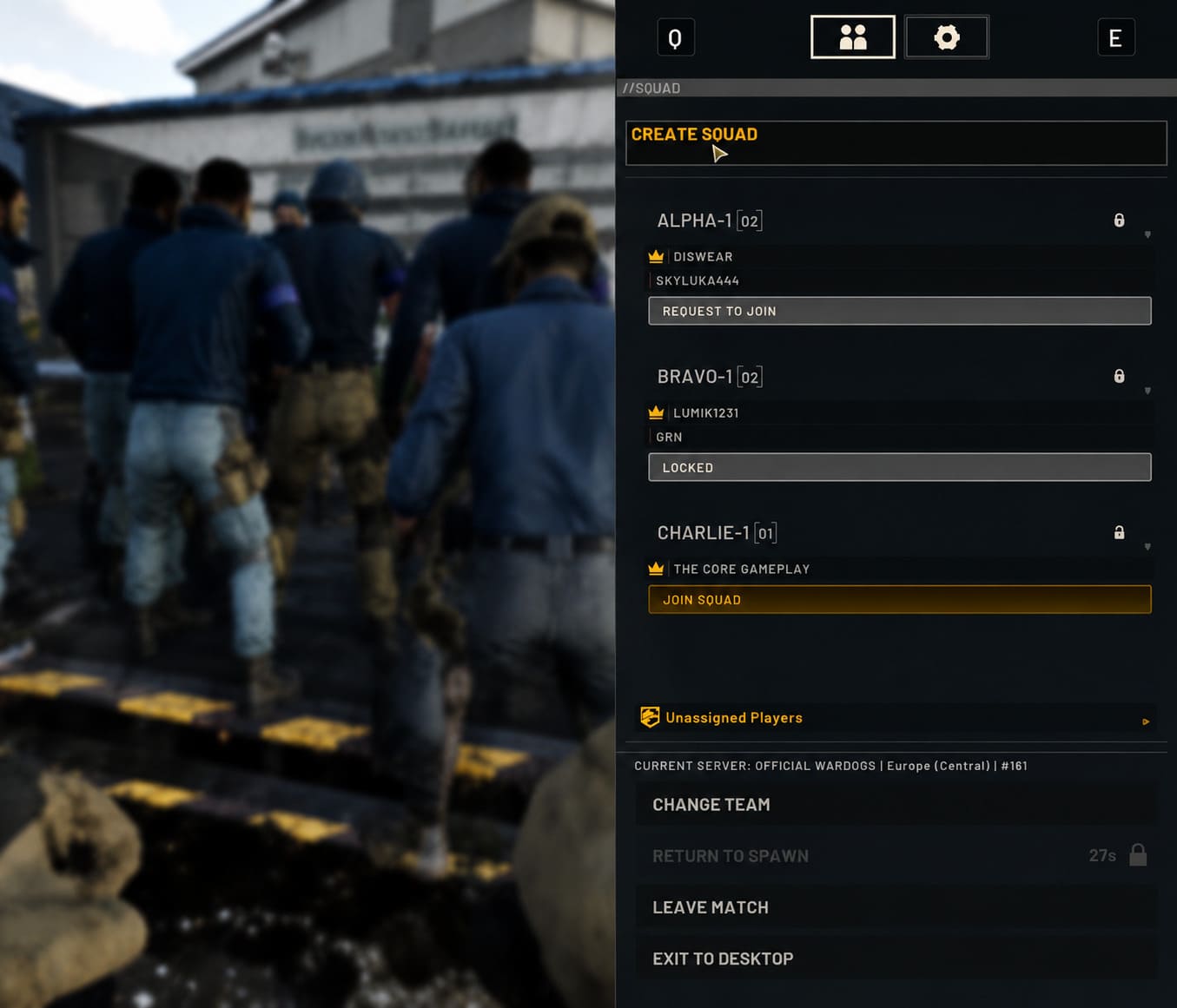
If your friend already has a squad, find it and select the option to join. If nobody has created one yet, have one player create a new squad and invite the others into it.
Getting everyone into the same squad is worth the effort. A giant 100-player battlefield can quickly become confusing, and simply knowing that the four people on your voice chat are somewhere on your side isn’t the same as having them organized into one tactical unit.
| Step | What To Do | Why It Matters |
|---|---|---|
| 1 | Select the same region | Helps coordinate matchmaking and latency |
| 2 | Join the same server | Gets everyone into one battlefield |
| 3 | Wait through the queue if necessary | Avoids unnecessary reconnect attempts |
| 4 | Choose the same faction | Ensures you’re fighting together |
| 5 | Join the same squad | Makes coordination much easier |
Why Squads Matter So Much in WARDOGS
Here’s where I think WARDOGS separates itself from a lot of more casual shooters. The battlefield isn’t designed around four players sprinting from objective to objective while ignoring everything else happening around them.
Your squad exists inside a much larger military machine.
You’ve got infantry, vehicles, logistics, construction and objectives all interacting with one another. A squad that understands its role can have an impact far beyond its actual player count.
For example, one player might concentrate on getting supplies where they’re needed while another handles vehicle support. Someone else can focus on infantry combat, while another squad member keeps an eye on enemy armor.
That’s much more interesting to me than four people simply choosing the same assault rifle and running in the same direction.
Voice Chat: Stay Close or Use Squad Communication?
Communication becomes increasingly important once the match gets serious. Proximity voice chat is useful when you’re physically close to friendly players. It can make the battlefield feel surprisingly alive, because you’re not only hearing your own squad but potentially communicating with other teammates around you.
Squad communication is more important when your friends are spread across the map. You don’t want your pilot disappearing into the distance while the rest of the squad has no idea where they’re going.
My advice is simple: use proximity chat for immediate local coordination and your squad communication for information that actually matters to the wider group.
Managing Money and Vehicles as a Team
One of the more interesting parts of WARDOGS is the way battlefield resources influence what your faction can actually do. Money isn’t something you should treat as a personal score that exists only for your own equipment.
If your group has enough resources to purchase vehicles or other expensive assets, talk about it before spending everything individually.
There’s little point in having three players make poorly coordinated purchases when one well-timed vehicle could completely change an engagement.
- Transport player: Focuses on moving infantry quickly between important areas.
- Logistics player: Helps maintain supplies and supports construction.
- Anti-vehicle player: Watches for enemy armor and heavy threats.
- Infantry player: Focuses on capturing and defending objectives.
You don’t need to turn your Discord call into a military command center, either. Just having a rough plan is enough. “We need transport first, then armor” is already better than everyone buying whatever looks cool.
What to Do When the Squad System Doesn’t Work
Like any large multiplayer game, WARDOGS can run into matchmaking, server and UI problems. If you can’t join a friend’s squad, don’t immediately assume the entire multiplayer system is broken.
If a squad invitation or join request fails, one useful workaround is to have the squad leader disband and recreate the squad. Sometimes refreshing the group can clear up a synchronization problem.
If someone is stuck while loading into a server, give the connection process some time before restarting the entire game. During heavy traffic, login and server queues can take longer than expected.
Network configuration can also cause trouble. A restrictive NAT configuration may interfere with matchmaking or make certain connections less reliable. If one person in the group is consistently disconnecting while everyone else is fine, their local network is worth investigating rather than repeatedly rebuilding the entire party.
WARDOGS Tactical Utility Items Tier List: Best Gadgets and Gear Ranked (2026 Early Access Guide)
My Favorite Way to Organize a WARDOGS Squad
If I’m playing with a group of friends, I wouldn’t try to make everyone follow a rigid class system. WARDOGS is at its best when players have jobs but can adapt when things go completely sideways—which they inevitably will.
I’d start with one person taking responsibility for transport and logistics, another watching enemy vehicles, and the remaining players focusing on objectives and infantry combat. If the situation changes, everyone changes with it.
And most importantly, stay together when you actually need to fight together. There is a difference between spreading out tactically and having four players wander off in four completely different directions.
The squad-based spawn and deployment options can also make staying coordinated much easier. When the situation allows it, being able to return close to your teammates saves valuable time and keeps the pressure on the enemy.
How to Fix WARDOGS Freezing and Crashing on AMD Ryzen CPUs (2026 Guide)
Final Thoughts
WARDOGS multiplayer is considerably more fun with friends. That’s not exactly a controversial statement, but the scale of the game makes it especially true here. A 100-player battlefield can be overwhelming when you’re alone. With a coordinated squad, suddenly all that chaos starts making sense.
The trick is to organize your group before the shooting starts. Pick the same region, coordinate the server, use the queue when necessary, choose the same faction and then get everyone into a squad. Once you’re deployed, keep communication simple and give each player a useful role.
Don’t overcomplicate it. You don’t need a spreadsheet, a ten-minute briefing or someone shouting military commands into Discord. You just need to know where your friends are, what you’re trying to accomplish and who is handling the important jobs.
That’s when WARDOGS really starts clicking. The explosions are obviously fun, the destructible environments are spectacular, and watching an enemy position collapse after a coordinated push is incredibly satisfying. But the best moments are usually the ones where your squad actually feels like a squad rather than four random players wearing the same team color.
So if you’re planning to jump into WARDOGS with your friends in 2026, spend a few minutes getting your party organized before deploying. You’ll spend less time fighting the matchmaking system and more time doing what the game is built for: working together, taking objectives and causing absolute chaos on the battlefield.